Api Keys
Learn about api keys and how to implement it effectively.
API Keys (Settings)
In addition to managing individual Credentials for external services, InnoSynth-Forjinn also allows you to manage API keys that grant external applications access to your InnoSynth-Forjinn instance. These are different from the API keys you use to connect to external LLMs or tools; these are keys for Accessing InnoSynth-Forjinn itself.
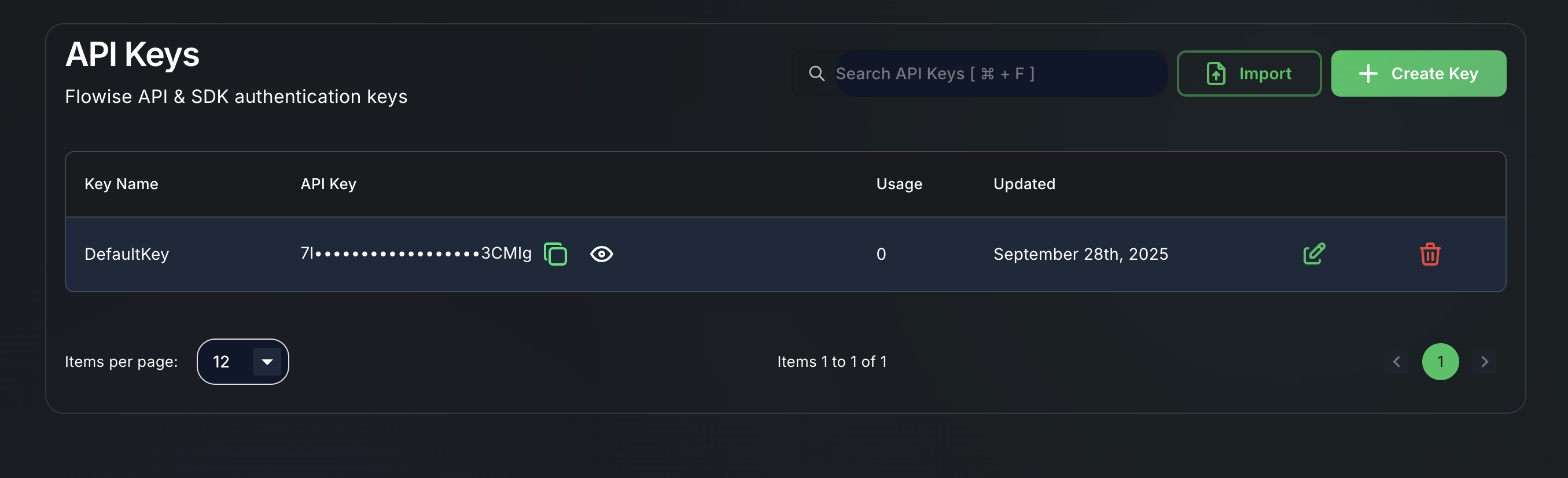
What are InnoSynth-Forjinn API Keys?
InnoSynth_Forjinn API keys are authentication tokens that allow external applications or scripts to interact with your deployed chatflows and agents programmatically. This is essential for integrating InnoSynth-Forjinn into your own applications, websites, or backend systems.
Accessing API Key Management
- Navigate to Settings: From the left-hand sidebar, click on "Settings".
- Select "API Keys": Look for a tab or sub-section specifically labeled "API Keys" or "Access Tokens".
Generating New API Keys
- Click "Generate New API Key": Look for a button like "Generate New API Key" or "Create Token".
- Provide a Name: Give your API key a descriptive name (e.g., "My Website Integration," "Internal Script Access"). This helps you identify its purpose later.
- Define Permissions (Optional): Some platforms allow you to define specific permissions for the API key, limiting what actions an external application can perform (e.g., "execute chatflows," "view logs"). This enhances security.
- Generate and Copy: Click "Generate" or "Create". The platform will generate a unique API key. Important: Copy this key immediately, as it may only be shown once for security reasons. If you lose it, you might need to generate a new one.
Managing Existing API Keys
The API Keys section will display a list of all generated keys, usually showing their name, creation date, and last used date. The actual key value is typically masked after creation.
- Revoking API Keys: If an API key is compromised, no longer needed, or an integration is deprecated, you should revoke it immediately. Look for a "Revoke" or "Delete" option next to the API key. Revoking a key will instantly disable any application using it.
- Editing (Limited): You might be able to edit the name or permissions of an API key, but usually not the key value itself. If you need a new key, you'll generate a new one and revoke the old.
Security Considerations
- Treat as Sensitive: InnoSynth-Forjinn API keys grant access to your platform. Treat them with the same level of security as your password.
- Store Securely: Never hardcode API keys directly into your client-side code or public repositories. Use environment variables or secure configuration management.
- Least Privilege: If permission settings are available, configure API keys with the minimum necessary permissions.
- Regular Audits: Periodically review your active API keys and revoke any that are no longer in use.
By effectively managing your InnoSynth-Forjinn API keys, you can securely integrate your AI workflows into a broader ecosystem of applications.