Overview
Learn about overview and how to implement it effectively.
Components Guide Overview
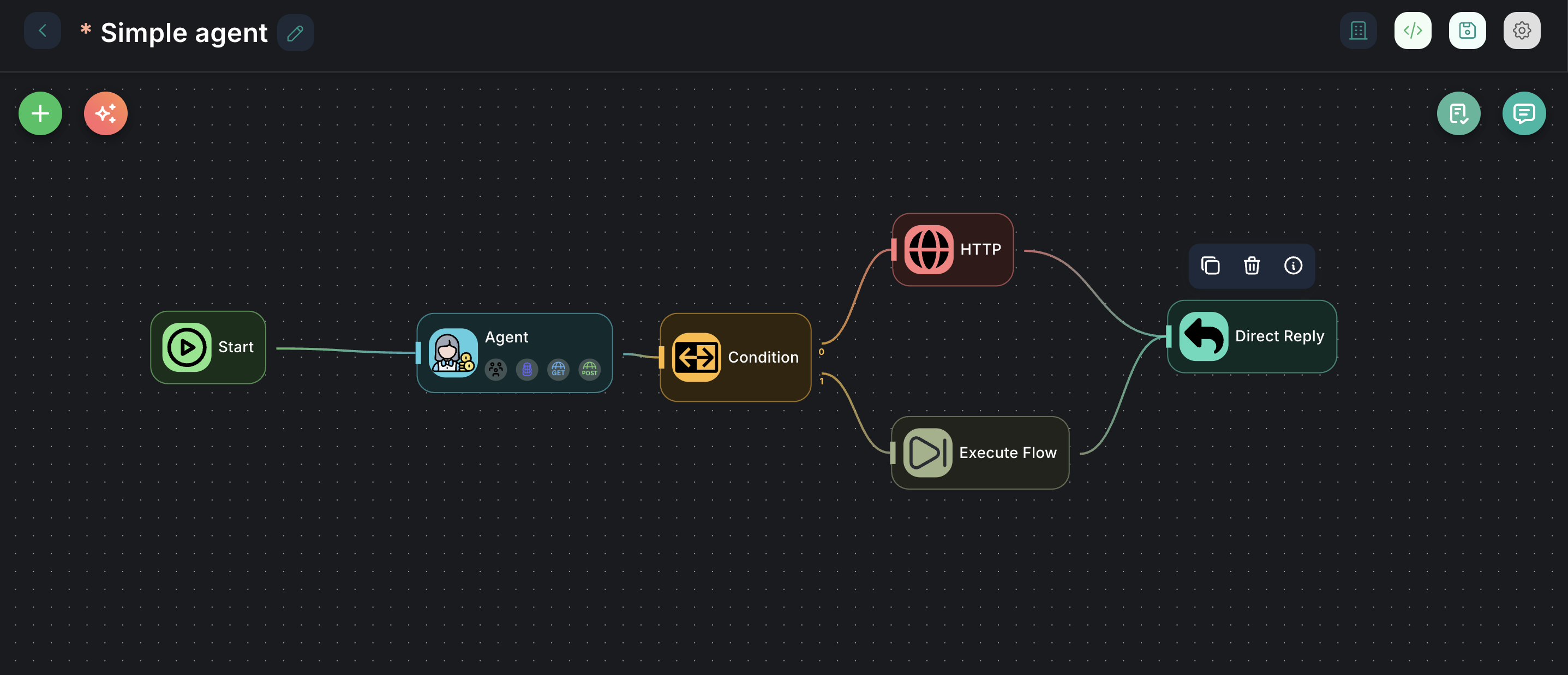
The InnoSynth-Forjinn platform is built around a powerful and extensible component-based architecture. These components, often referred to as "nodes," are the building blocks you use to construct complex AI workflows (chatflows) and intelligent agents. This guide provides a detailed look into each available component, explaining its purpose, configuration, and practical usage.
What are Components (Nodes)?
Components are modular units of functionality that you drag and drop onto the chatflow canvas. Each component performs a specific task, such as:
- Interacting with Large Language Models (LLMs)
- Fetching data from external sources (tools)
- Managing conversational memory
- Loading and processing documents
- Performing analytical tasks
- Controlling workflow logic (e.g., conditions, loops)
By connecting these components, you define the flow of data and logic, creating sophisticated AI applications without writing any code.
Structure of this Guide
This Components Guide is organized by categories, mirroring how they appear in the InnoSynth-Forjinn UI's components library. Each section will delve into the individual components within that category:
- Agentflow Nodes: Components specifically designed for building advanced agent workflows.
- Agents: Different types of AI agents that can reason and use tools.
- Analytic Nodes: Components for integrating with analytics and observability platforms.
- AutoADK Nodes: Components related to the AutoADK framework.
- Cache Nodes: Components for implementing caching mechanisms.
- Chains: Pre-defined sequences of operations for common AI tasks.
- Chat Models: Integrations with various conversational Large Language Models.
- Document Loaders: Components for loading data from diverse sources.
- Embeddings: Components for generating vector embeddings of text.
- LLMs: Integrations with various Large Language Models (non-chat specific).
- Memory Nodes: Components for managing conversational context.
- Moderation Nodes: Components for content moderation.
- Multi-Agents: Components for orchestrating multiple agents.
- Output Parsers: Components for structuring LLM outputs.
- Prompts: Components for creating and managing prompt templates.
- Record Manager: Components for managing records.
- Response Synthesizer: Components for synthesizing responses.
- Retrievers: Components for retrieving relevant information.
- Sequential Agents: Components for sequential agent workflows.
- Speech-to-Text: Components for converting speech to text.
- Text Splitters: Components for splitting text into smaller chunks.
- Tools: General-purpose tools for external interactions.
- Utilities: Miscellaneous utility components.
- Vector Stores: Integrations with various vector databases.
How to Use This Guide
For each component, you will find:
- Description: What the component does and its primary use case.
- Icon/Appearance: How it looks on the canvas (if applicable).
- Configuration: A detailed explanation of all input parameters and settings.
- Inputs & Outputs: What kind of data the component expects and produces.
- Example Usage: A simple scenario demonstrating how to use the component in a chatflow or agent.
By exploring this guide, you will gain a deep understanding of InnoSynth-Forjinn's capabilities and how to effectively build powerful AI applications.