
Forjinn API Keys Management | External Access & Integration
Manage API keys for external access to Forjinn Visual AI Agent Builder. Secure integration setup for applications, websites, and backend systems.
API Keys (Settings)
In addition to managing individual Credentials for connecting to external AI providers, Forjinn also allows you to manage API keys that grant external applications programmatic access to your Forjinn instance. These are different from the credential API keys you store for connecting to external LLMs or tools — these keys are for Accessing Forjinn's own API.
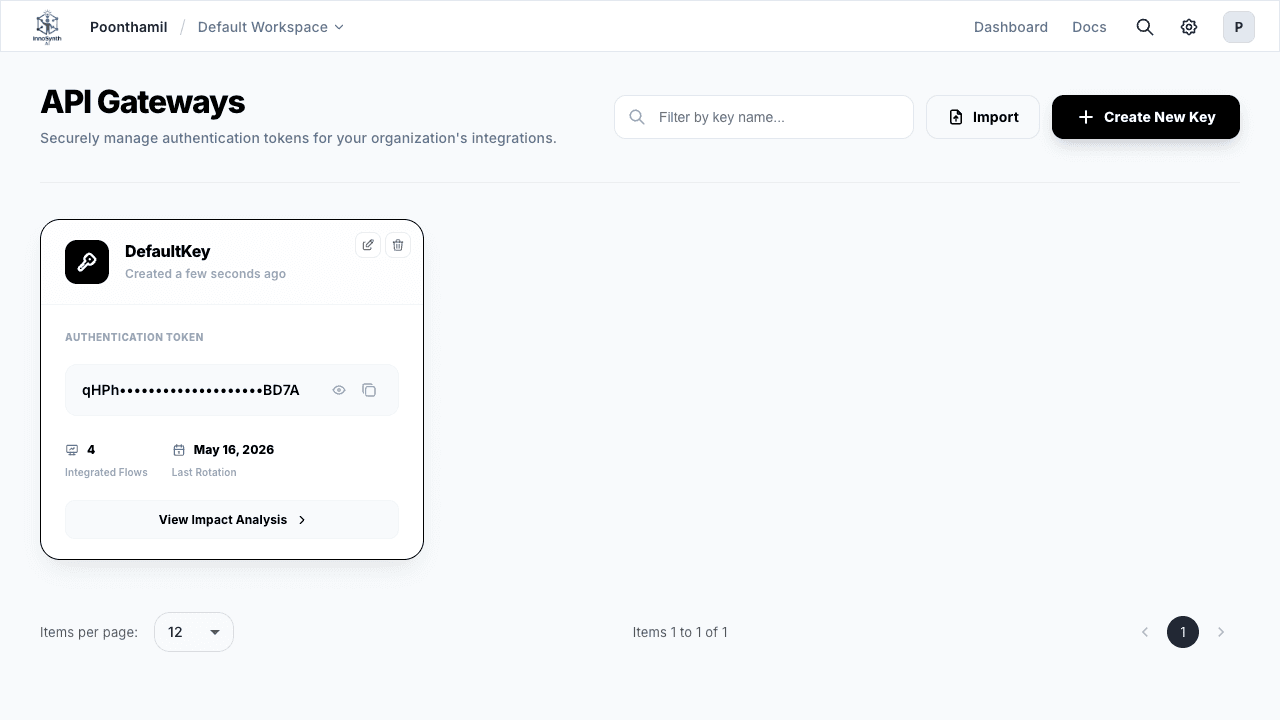
What are Forjinn API Keys?
Forjinn API keys are authentication tokens that allow external applications, scripts, or services to interact with your deployed flows programmatically. This is essential for integrating Forjinn into your own applications, websites, backend systems, or automation pipelines.
Accessing API Key Management
- Navigate to Settings: From the dashboard main navigation, go to Settings.
- Select "API Keys": Click on the "API Keys" tab or sub-section to view and manage your access tokens.
Generating New API Keys
- Click "Generate New API Key": On the API Keys page, click the "Generate New API Key" or "Create Token" button.
- Provide a Name: Give your API key a descriptive name (e.g., "My Website Integration", "Internal Script Access", "CI/CD Pipeline"). This helps you identify its purpose later.
- Define Permissions (Optional): If available, configure specific permissions for the API key to limit what actions an external application can perform (e.g., "execute flows", "view logs", "manage deployments"). Applying the principle of least privilege enhances security.
- Generate and Copy: Click "Generate" or "Create". The platform will produce a unique API key. Important: Copy this key immediately and store it securely. The full key value may only be displayed once for security reasons. If you lose it, you will need to generate a replacement and revoke the old one.
Managing Existing API Keys
The API Keys section displays a list of all generated keys, typically showing the key name, creation date, last used date, assigned permissions, and a masked key value.
- Revoking API Keys: If an API key is compromised, no longer needed, or associated with a deprecated integration, revoke it immediately. Click the "Revoke" or "Delete" option next to the key. Revoking a key will instantly disable any application or service using it, so plan accordingly.
- Editing (Limited): You may be able to edit a key's name or adjust its permissions, but the key value itself cannot be changed. If you need a fresh key value, generate a new one and revoke the old one after migrating your integrations.
Security Considerations
- Treat as Sensitive: Forjinn API keys grant programmatic access to your platform and deployed flows. Treat them with the same level of security as passwords.
- Store Securely: Never hardcode API keys into client-side code or public repositories. Use environment variables, secret managers, or secure configuration systems.
- Least Privilege: Configure API keys with only the minimum permissions required for their intended purpose.
- Regular Audits: Periodically review your active API keys, check their last used dates, and revoke any that are no longer needed.
- Rotation Policy: Establish a key rotation schedule for production integrations to minimize exposure in case of a compromise.
By effectively managing your Forjinn API keys, you can securely integrate your AI flows into a broader ecosystem of applications, services, and automation pipelines.