
Components guide
CrewAI: How to Use CrewAI in Forjinn
Quick-start guide for building multi-agent crews in Forjinn with CrewAI. Assign roles, split tasks, and coordinate AI agent teams.
CrewAI: How to Use and Available Options
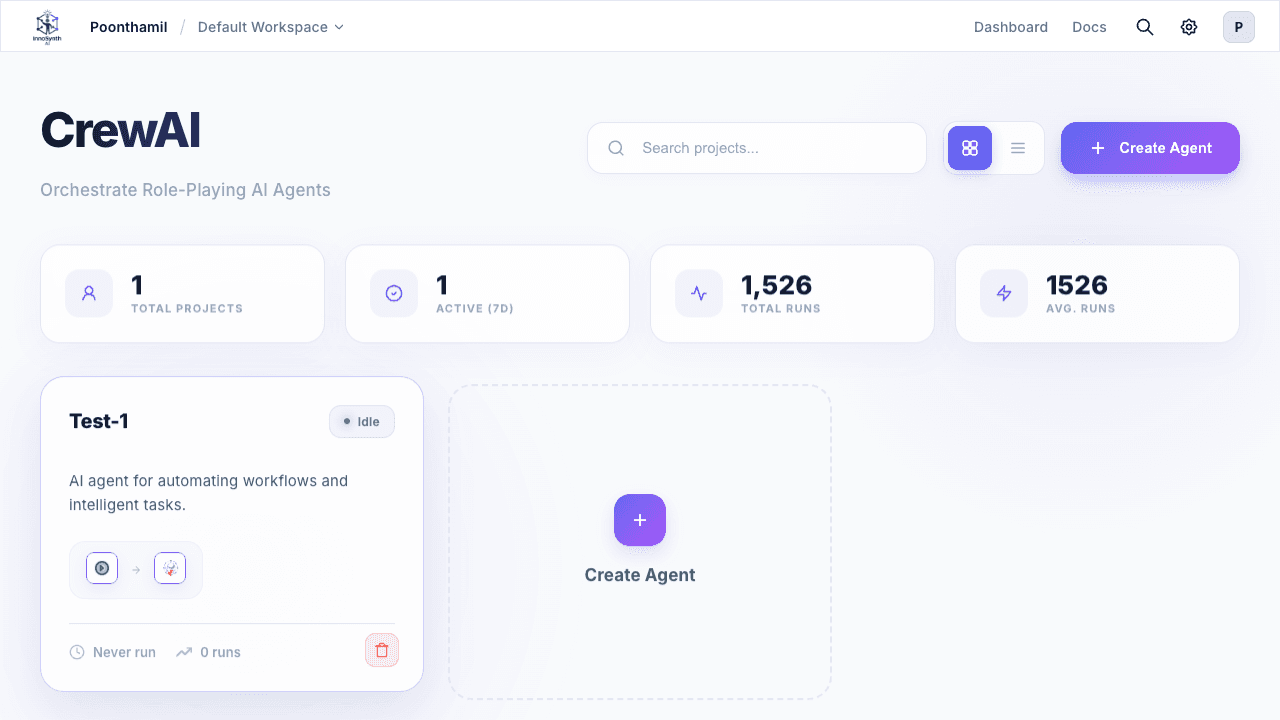
CrewAI enables you to build powerful, coordinated teams of AI agents who tackle goals together — assigning roles, splitting tasks, and blending strengths inside easy-to-design workflows on Forjinn.
Quick Start: Creating a CrewAI Workflow
- Go to your workspace and select CrewAI from the dashboard or add a Crew node in your flow editor
- Click Add Agent to bring in supervisors, workers, or custom roles
- Enter instructions and settings for each agent (e.g., assign Research, Write, Critique roles)
- Link agents together to define "who delegates what" and completion order (sequential, parallel, or custom)
- Assign tools or shared resources by clicking the options menu next to each agent
- Save and run your workflow — monitor in real time as agents communicate, solve, and hand off tasks
Available Options for Users
- Add as many agents/roles as you need (supervisor, worker, analyst, researcher, writer, editor, etc.)
- Choose connection type: Sequential (A → B → C), Parallel (all at once), or Hybrid
- Assign shared tools to all or any agents (search, API access, file readers, code interpreters, etc.)
- Set completion triggers and criteria (when is a task finished? who collects results?)
- Adjust agent instructions, triggers, and workflow direction at any time
- Enable shared memory for context persistence across the crew
What is CrewAI?
CrewAI provides:
- A system for defining crews (groups) of specialized agents that interact over defined protocols
- Agent role assignment: supervisor, worker, planner, analyst, critic, researcher, writer, editor, and more
- Workflow decomposition — breaking big goals into agent-assigned subproblems, then reassembling final solutions
- Communication protocols — messages, signals, and status updates enable dynamic chaining, error recovery, and task escalation
- Shared resources — tools, memory, and context available to the entire crew or specific subsets
CrewAI Configuration in Forjinn
- Crew Definition: Build a Crew node specifying which agents/roles are part of the crew and their responsibilities
- Inter-Agent Communication: Built in with the platform message bus — agents send, receive tasks, results, and signals
- Supervisor/Worker: Use dedicated SupervisorAgent and WorkerAgent nodes for top-down task delegation
- Parallel/Sequential Flows: Connect multiple worker agents for batch processing or chain them for stepwise goal solving
- Shared Tools/Resources: Assign tools to all agents or selectively to specific roles
- Memory Settings: Toggle shared memory for context retention across the crew
Example: Content Generation Crew
- SupervisorAgent: Receives the main task, breaks it into research, writing, and review sub-tasks
- WorkerAgent 1 (Researcher): Uses search tools for data gathering and source collection
- WorkerAgent 2 (Writer): Turns research into structured drafts
- WorkerAgent 3 (Editor): Reviews output, flags errors, requests rewrites
- Result: Coordinated problem solving with human-like teamwork, fully traceable via the platform UI
Using CrewAI Patterns
- Set up roles with clear instructions using agent settings in the sidebar
- Connect agents to the communication bus: Default out of the box, or use explicit message nodes for custom routing
- Configure completion triggers: When all workers finish, the supervisor assembles results and passes output forward
- Monitor Execution: Use Agent Executions and Trace panels — each sub-agent's activity is captured with parent/child IDs, timing, and step logs
- Adjust on the Fly: Modify agent instructions, add/remove tools, or change process type without rebuilding
Troubleshooting & Optimization
| Problem | Solution |
|---|---|
| Deadlocks (agents waiting indefinitely) | Ensure timeouts are set on feedback loops and waiting conditions |
| Worker failure or retry loops | Use Condition nodes or error-handling agents for recovery |
| Scaling bottlenecks | ParallelWorker patterns allow concurrent tasks with load balancing |
| Overlapping agent roles | Clarify role definitions and assign non-overlapping responsibilities |
| Poor result quality | Add review/editor agents, improve task descriptions, enable shared memory |
Best Practices & Advanced Tips
- Keep roles clear: Overlapping authorities dilute problem-solving effectiveness
- Recover from errors: Supervisors can reassign or retry sub-tasks automatically
- Limit depth and chains: Excessively deep agent hierarchies are hard to debug — use logs and Trace nodes
- Integrate with Analytics: CrewAI runs can connect to LangFuse, Arize, or other observability tools for cross-session analysis
- Use Parallel Patterns: Independent tasks should run concurrently to reduce overall execution time
- Leverage Shared Memory: Enable for crews where agents need context from each other's work
Related Patterns
- Sequential Agents — Pipeline of roles, each building on the previous step
- Hierarchical Delegation — Supervisor hands off goals to specialized workers
- Voting System — Multiple agents generate outputs, best result chosen by consensus
- Recursive Planning — Agents hand off sub-goals to other agents, including themselves
CrewAI unlocks complex automation, research pipelines, autonomous operations, and enterprise-level workflows — precisely coordinated, explainable, and scalable inside Forjinn.
Related Documentation
- CrewAI Integration — Full framework reference
- Multi-Agent Systems — Architecture patterns
- AutoGen — Alternative generative workflow framework
- Google ADK — Google's agent development kit
- Overview — Forjinn platform builder modes